

FileManager screenshots (4)

Description FileManager
Complete File Control for Android: Manage Your Device Like a Desktop
FileManager transforms your Android device into a fully functional file management workstation. This application provides direct, granular control over your device's internal storage and SD card, replicating the precision and utility of a desktop file explorer. It is designed for users who require systematic organization and rapid access to all file types without navigating through multiple, restrictive system menus.
Core Functionality and Operational Tools
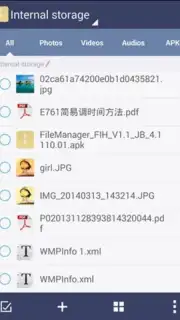
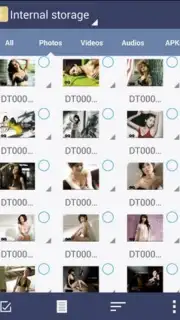
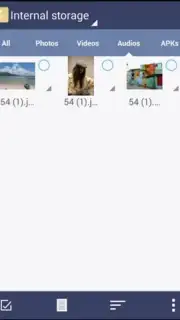
The application facilitates standard file operations including cut, copy, and paste, executed with a single tap. A multi-select mode allows for batch processing of documents, media, and folders, enabling large-scale reorganization or deletion. The integrated search tool indexes all storage locations, permitting keyword-based retrieval of files regardless of their directory depth. For visual media, a thumbnail gallery view generates previews for all images and videos, streamlining visual browsing. The built-in archive handler supports common formats like ZIP and RAR, allowing users to extract compressed contents directly to a chosen directory without requiring a secondary utility.
- Full cut, copy, paste operations
- Multi-select and batch actions
- Deep storage search tool
The interface utilizes a clean, hierarchical layout that clearly displays file paths, types, and sizes. This design minimizes navigation time and reduces the learning curve typically associated with advanced file systems. By maintaining all storage areas in an ordered state, the tool ensures that personal documents, downloaded content, and application data remain systematically accessible and manageable from a single hub.
Download FileManager now—exclusive ad-free access is a limited-time offer for new users.
Internet required. IAP available.
Information
| Version | 7.0030.01 |
| Developer | Evenwell Digitech |
| Requirements | Android Android + 4.0, 4.0.1, 4.0.2+ |
| Updated | 17.03.2026 |
| Size | 5.9 MB |
| Package | com.fihtdc.filemanager |
| Signature | 53f1adb09c1811626006843beaf1056e |


