

HEADSHOT FF screenshots (4)

Description HEADSHOT FF
A Tool for Precision in a World of Competition
In competitive mobile gaming, the difference between a near miss and a perfect headshot often comes down to hardware responsiveness and personal preference. Standard device settings offer a one-size-fits-all approach, which can leave dedicated players at a disadvantage. This analysis examines HEADSHOT FF, a utility application from BullTool designed to provide granular control over several touchscreen and audio parameters. Its primary function is not to alter game code, but to offer a layer of hardware tuning that allows users to refine their interaction with their device for potentially improved in-game accuracy and control.
Core Functionality and Analytical Overview
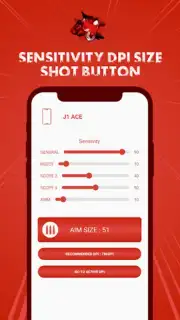
HEADSHOT FF operates as a configuration layer, granting access to settings typically locked or limited within the Android operating system. The application's value lies in its ability to let users tailor their device's behavior to their specific tactile preferences. By adjusting the touch sensitivity parameters, users can fine-tune how the screen registers their inputs, which can be critical for rapid aiming and firing actions. The ability to modify the resolution per inch (DPI) setting for touch input further allows for customization of cursor or crosshair movement speed independent of in-game sensitivity sliders.
Another notable feature is the control over button click volume. While seemingly minor, this auditory feedback can be crucial for confirming input registration during fast-paced sequences without needing to rely on visual confirmation. The application presents these tools within a single interface, promoting a systematic approach to finding an optimal personal configuration. It is critical to note that the app provides tuning and diagnostic data; it does not function as a performance booster or frame rate enhancer. Its utility is in delivering information and direct controls that empower the user to eliminate inconsistencies in their touchscreen response.
Detailed Feature Breakdown
- Granular Touch Sensitivity Adjustment: Precisely calibrate how your screen interprets finger movements for improved aiming control.
- Customizable DPI Configuration for Touch Input: Modify the resolution of your touchscreen to alter crosshair movement speed and precision.
- Tactile Audio Feedback Management: Adjust or mute the system sound for screen touches to minimize distractions or confirm inputs.
- In-Depth Performance Diagnostics: Access real-time data and logs detailing your device's touch response and input latency.
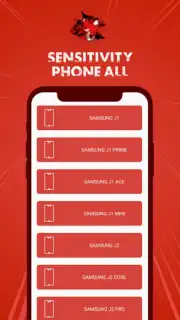
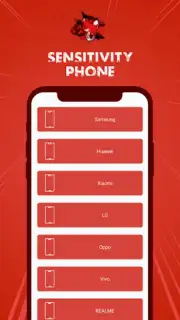
- Centralized Optimization Interface: Manage all sensitivity and audio tuning parameters from a single, streamlined control panel.
The application is positioned for players who engage in competitive titles where millisecond reactions and muscle memory are paramount. By offering a way to standardize and perfect the physical interface between player and game, HEADSHOT FF aims to remove a variable from the performance equation. Users can experiment with configurations in training modes to establish a reliable setup before deploying it in live matches.
Download the HEADSHOT FF mobile app now and stop adapting to your device—start commanding it. Install immediately to unlock professional-level tuning and take definitive control of your gameplay performance.
Disclaimer: This application requires an internet connection for initial download and potential updates. It may offer in-app purchases for additional features or premium versions. Use of this tool should comply with the terms of service of your specific games; it is not intended for cheating or gaining unfair automated advantages. The app may collect anonymized performance data for functionality. Please check the product page for age ratings and specific data privacy details.
Information
| Version | 1.0 |
| Developer | BullTool |
| Requirements | Android Android + 6.0+ |
| Updated | 17.03.2026 |
| Size | 40.55 MB |
| Package | com.firex10.sensitivitytool.hs |
| Signature | 4c9d170abe83936586e5859f413e269d |
| Architecture | armeabi, armeabi-v7a, x86, arm64-v8a, x86_64 |


