

iEncrypt Password Manager screenshots (4)
Description iEncrypt Password Manager
Tired of Forgetting Passwords or Worrying About Hackers?
Imagine this: you're trying to log into an important account, but your mind goes blank. Was it your pet's name plus your old zip code? Or perhaps you've heard about another data breach and a cold wave of anxiety hits—could your simple, reused password be out there? Managing digital security feels like a full-time job. What if you could lock down every single login, from social media to your home security system, with absolute confidence and zero mental clutter? That precise peace of mind is what iEncrypt Password Manager delivers. This powerful tool transforms your smartphone into an impenetrable vault, putting you back in control of your digital life without the headache.
Your Centralized, Fortress-Grade Command Center
iEncrypt Password Manager solves the core problem by becoming your single, secure source of truth for every credential. Instead of notes on your phone or a fragile memory, you store everything in one application, synced and protected by your primary email. This isn't just convenient—it's a fundamental upgrade to your security posture. The moment you save a password here, it's shielded by bank-grade AES-256 encryption. This means your sensitive data is scrambled into an unreadable code, safeguarding it from hackers, leaks, or anyone who shouldn't have access. Because your vault is linked to your account, you can seamlessly access your passwords from any of your devices, making security both powerful and perfectly portable.
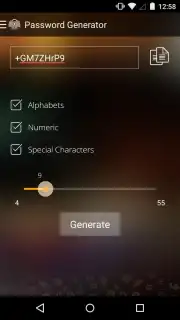
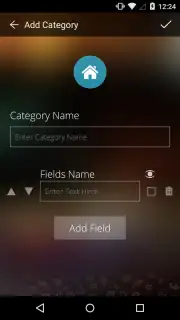
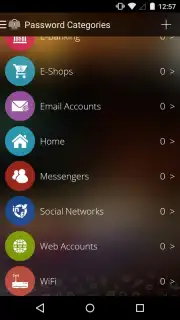
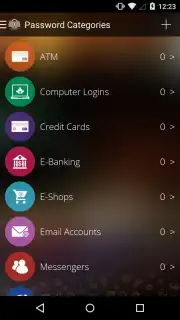
Forget about weak, guessable passwords. The built-in password generator is your personal security advisor, creating strong, unique codes for every site and service you use. Organizing is a breeze, too; while default categories cover the basics, you can create custom ones for anything imaginable—from your salon's point-of-sale system to your smart garage door. The standout feature, however, is the ingenious Panic Mode. Picture someone pressuring you to open your vault. With a discreet trigger, the app presents a fake interface with decoy passwords, all while secretly photographing the unauthorized user. It’s a brilliant layer of real-world security that ensures you’re protected not just digitally, but physically.
- End password resets forever by storing all logins in one centralized, encrypted vault.
- Experience military-grade security with unbreakable AES-256 encryption for all your data.
- Access your passwords anywhere with seamless sync across all your personal devices.
- Generate foolproof passwords instantly with the built-in secure password creator.
- Activate covert Panic Mode to display fake data and photograph security threats.
Stop compromising your safety and wasting time. Take definitive action to secure your digital identity today. This is the tool that finally makes powerful security effortless.
Download iEncrypt Password Manager now and lock down your digital life immediately!
Internet required. IAP available.
Information
| Version | 1.2.1 |
| Developer | Graham Richard |
| Requirements | Android Android + 4.0, 4.0.1, 4.0.2+ |
| Updated | 17.03.2026 |
| Size | 8.81 MB |
| Package | net.newsoftwares.iEncryptPasswordManager |
| Signature | bf4b6aabd5c9e1adde18bd16a0017c1b |


