


Launcher OS 19 screenshots (5)



Description Launcher OS 19
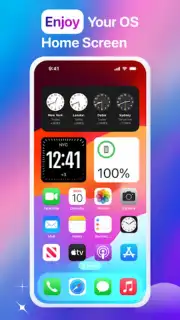
Imagine unlocking a sleek, iOS-inspired interface on your Android device, where every swipe feels intuitive and every icon is perfectly placed. Launcher OS 19 transforms your standard Android home screen into a highly organized and visually refined environment. It provides a seamless customization experience that goes beyond simple themes, rebuilding your device's interaction layer from the ground up for enhanced daily efficiency and a polished aesthetic.
Core Functionality and System Integration
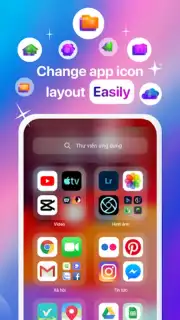
Launcher OS 19 operates as a complete home screen replacement, utilizing necessary device permissions to map and reorganize all your installed applications automatically. This deep integration allows for a truly personalized layout, where apps are sorted for immediate accessibility. The launcher introduces an enhanced notification center that consolidates alerts into a streamlined panel, alongside redesigned app management tools that let you group, hide, or lock applications directly from the main interface. The system is engineered for fluid performance, ensuring that transitions and animations operate without lag across your device.
Customization Tools and Security Features
The app provides extensive tools for visual personalization, including the ability to set custom wallpapers, icon packs, and folder styles to match your individual taste. Beyond aesthetics, Launcher OS 19 incorporates practical security with a built-in app lock feature, allowing you to password-protect sensitive applications. This combination of design freedom and privacy control creates a user environment that is both unique and secure, directly from your home screen.
Optimized User Experience
- Automated App Organization: Uses system permissions to scan and intelligently categorize all installed apps for a clutter-free layout.
- Enhanced Notification Panel: Consolidates all alerts into a single, iOS-style drop-down center for streamlined management.
- Integrated App Lock & Security: Features a built-in locker to add passcode protection to any application, safeguarding your privacy.
Transform your Android device's interface today with a launcher that prioritizes both sophisticated design and robust functionality. Download Launcher OS 19 now and experience a superior level of personalization and control!
Internet required. IAP available.
Information
| Version | 8.1.8 |
| Developer | World Quiz |
| Requirements | Android Android + 8.0+ |
| Updated | 17.03.2026 |
| Size | 42.01 MB |
| Package | com.proapp.smart.os.launcher19 |
| Signature | 902272a9001498e1458fea15b5a1bc90 |
| Architecture | armeabi-v7a, arm64-v8a |


