

MediaClip - Download videos screenshots (5)
Description MediaClip - Download videos
Imagine you’ve just found the perfect video online—a tutorial, a music clip, a memorable moment—and you wish you could save it directly to your phone with just a tap. That’s the everyday convenience MediaClip - Download videos is built to deliver. This streamlined tool transforms your mobile device into a personal video library, allowing you to capture content from YouTube and a wide array of similar video portals effortlessly. The experience is designed to be intuitive: navigate to the video, tap a button, and confirm the download. It’s a straightforward solution for anyone who wants immediate, offline access to their favorite video content without navigating complex software.
Core Functionality and User Experience
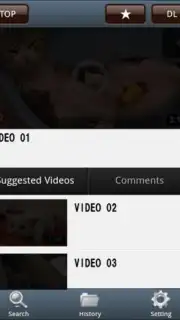
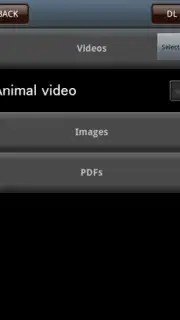
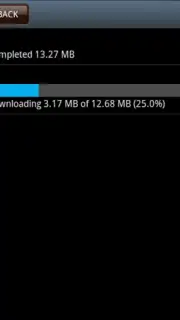
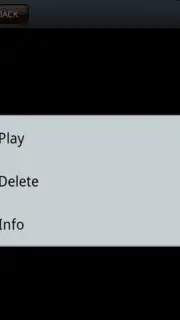
MediaClip focuses on delivering a no-fuss downloading process. You start by visiting the video’s webpage through the app or your browser. Once the video is loaded, a prominent download button appears, typically in the upper-right corner of the interface. Tapping it triggers a clear confirmation screen where you can initiate the download instantly. The app manages the technical details in the background, supporting various video formats and resolutions available from the source. Downloaded files are automatically saved to your device's dedicated multimedia folder for easy access through your regular gallery or file manager. It’s worth noting that for optimal playback compatibility, especially with certain proprietary formats, some clips are best viewed directly within the MediaClip app's integrated player.
The application distinguishes itself with a clean, ad-free experience when using its Turbo mode, which enhances download speeds and removes interruptions. While the interface prioritizes function over flashy design, presenting a minimal set of options, this simplicity is its strength. It performs its primary task reliably without overwhelming the user with unnecessary features. The utility shines in its versatility, handling content from numerous video platforms, making it a practical and universal tool for quick video archiving.
Key Features at a Glance
- Download videos from YouTube and multiple other video portals directly.
- Initiate downloads with just a couple of taps from your mobile screen.
- Experience an ad-free environment and faster speeds with Turbo mode.
- Save downloaded clips automatically to your device's multimedia folder.
- Play back videos within the app for guaranteed format compatibility.
For a tool that simplifies saving online video content directly to your device, we suggest trying MediaClip - Download videos. Consider downloading it today to build your personal offline video collection effortlessly.
Download the MediaClip - Download videos mobile app now.
Please note: This app requires an active internet connection for downloading videos. Downloaded content is for personal use only; please respect copyright laws. Some features or enhanced speeds may be associated with in-app purchases.
Information
| Version | 1.9.14 |
| Developer | Appseals |
| Requirements | Android Android + 10.9 Mavericks+ |
| Updated | 17.03.2026 |
| Size | 5.3 MB |
| Package | com.appseals.mediaclip.android |
| Signature | 9e1768f5b88acbcbdd3b9a251fc9dcf5 |


