

My Notebooks screenshots (10)
Description My Notebooks
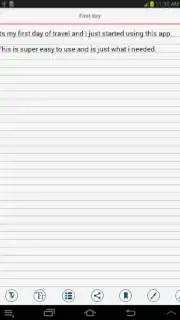
Imagine replacing a stack of physical notebooks with a single, secure digital hub on your Android device. My Notebooks provides this paperless solution, transforming how you capture, organize, and protect your thoughts. Designed for comprehensive organization, it allows you to create distinct digital notebooks for every aspect of your life, from detailed research projects and work logs to personal journals and daily reminders. This app moves beyond basic note-taking by integrating advanced security and creative tools into a unified system for information management.
Core Functionality and Organizational Tools
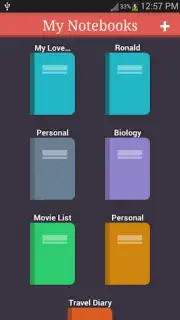
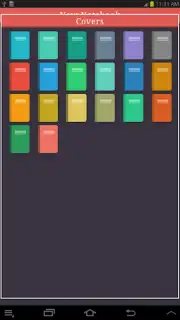
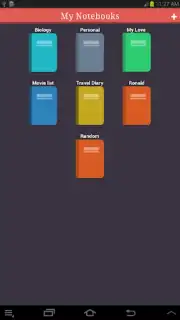
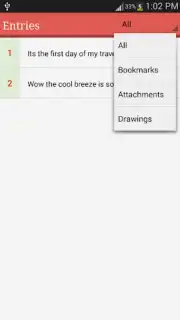
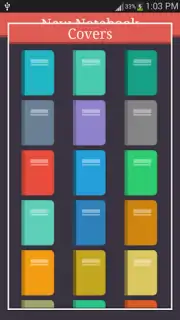
The application establishes a structured environment for note management through its multi-notebook architecture. Each notebook operates as an independent container, enabling you to separate professional documents from personal entries or academic research. The system includes twenty customizable notebook covers, allowing for visual categorization and quick identification. For retrieval, an integrated quick-search function scans across all notebooks and notes to locate specific text fragments efficiently. Completed documents can be exported directly from the app into PDF format for standardized printing or digital sharing.
Data Security and Synchronization Systems
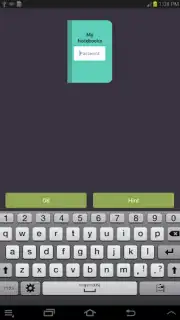
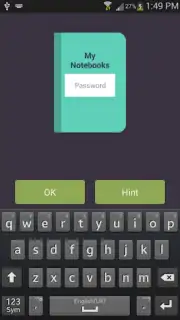
Data protection is handled through a dedicated password-lock feature, which secures access to the entire application and ensures note confidentiality. For data preservation and cross-device accessibility, the app supports automated online backup to cloud storage services, including Google Drive and Dropbox. This dual-layer approach safeguards your information against local device failure and allows you to maintain a synchronized note library across multiple platforms, ensuring your data remains intact and available.
Integrated Creative and Utility Features
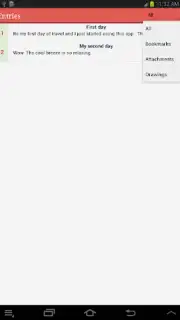
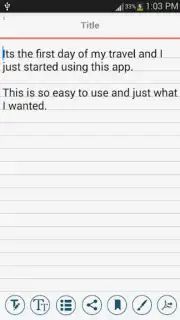
Beyond text, the app includes a built-in freehand drawing tool for creating sketches, diagrams, or visual notes directly within any notebook entry. This functionality supports visual thinking and personal expression alongside traditional typing. The user experience is maintained without interruption, as the app operates with no advertising. This focus on utility provides an uninterrupted environment for writing, planning, and creative work.
- Create separate themed digital notebooks
- Password protection for all data
- Cloud backup to Google Drive, Dropbox
- Export any note as a PDF file
We suggest trying My Notebooks to experience a fully organized and secure digital note-taking system on your Android device. Consider downloading it to consolidate your planning, journaling, and research into a single, protected application.
An internet connection is required for cloud backup services. The app may contain in-app purchases for additional features.
Information
| Version | 7 |
| Developer | CyborgWorks |
| Requirements | Android Android + 4.0, 4.0.1, 4.0.2+ |
| Updated | 17.03.2026 |
| Size | 9.06 MB |
| Package | com.cyborg.notebooks |
| Signature | 2c0be023519674559814fbc33721e599 |
| Architecture | armeabi, armeabi-v7a |


