


Nine Mail screenshots (16)












Description Nine Mail
Is your current email client a fragmented collection of separate apps for mail, calendar, and tasks, forcing you to constantly switch between them? Nine Mail by 9Folders Inc. presents a different approach, consolidating core business communication and productivity tools into a single, unified interface. This review examines the mechanics of this version 4.9.7a application, assessing its functionality as a comprehensive hub for managing Office 365, Exchange Online, and Outlook.com accounts.
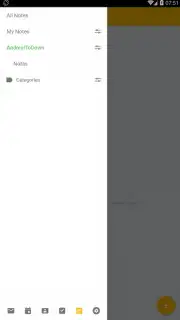
The application operates on a principle of centralised access. Upon synchronising a supported email account, the primary workspace becomes a fully-featured mail client. The defining operational characteristic is the side menu, a persistent navigation panel that provides immediate access to all integrated modules without requiring you to exit the current view. This design eliminates the disruptive app-switching typical of managing email, calendar, and contacts separately. The mail module itself is robust, supporting advanced management features expected in a professional business environment.
Beyond the inbox, the integration is substantive rather than superficial. The built-in calendar is not a simple viewer; it allows for direct creation and modification of appointments, with changes syncing seamlessly to your connected account. Similarly, the contact list is a fully functional address book, enabling real-time management of your contacts database. A particularly useful auxiliary tool is the integrated notes feature, which functions as a quick-capture system for ideas, reminders, or action items directly within the email ecosystem, preventing context loss.
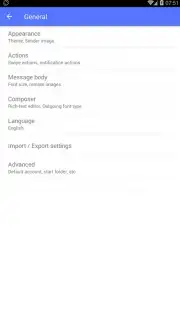
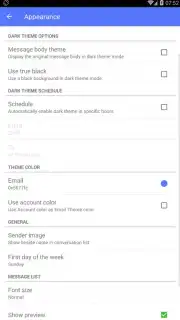
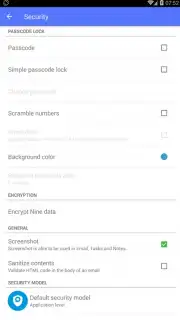
A significant operational advantage is the complete absence of advertising within the core interface, a policy enhanced by the optional Turbo system for accelerated performance. The application also offers a high degree of user agency over its presentation. The settings menu contains extensive customisation options, allowing you to tailor the interface's visual theme, layout, and notification behaviours to match specific workflow preferences, making the tool adapt to the user rather than the opposite.
Core Feature Summary
- Unified mail, calendar, and contacts
- Side-menu navigation for all modules
- Integrated notes and task management
- Deep interface customisation options
The consolidation of essential tools into a fluid, ad-free workspace represents a tangible efficiency gain for business users. Stop juggling disconnected applications and streamline your communication workflow.
Download Nine Mail now and centralise your business productivity today!
Disclaimer: This application requires an active internet connection for synchronisation and account management. It may offer in-app purchases for additional features or the Turbo service. Data usage applies. User discretion is advised regarding account permissions and data handling. Ensure your device meets the required system specifications.
Information
| Version | 4.9.7e |
| Developer | 9Folders Inc. |
| Requirements | Android Android 7.0+ |
| Updated | 02.09.2026 |
| Size | 54.85 MB |
| Package | com.ninefolders.hd3 |
| Signature | 11:1B:A8:A4:EF:27:73:56:D6:14:95:CE:85:02:FC:31:60:5C:F9:40 |
| Architecture | x86, x86-64, armeabi-v7a, arm64-v8a |


