

Office Remote screenshots (4)
Description Office Remote
Control Your Presentations from Anywhere in the Room
Tired of being tethered to your laptop during important meetings or lectures? Office Remote transforms your Android device into a powerful wireless controller for Microsoft PowerPoint, Word, and Excel on your PC, freeing you to move, present, and interact with your content naturally.
Core Functionality and Tools
This application establishes a secure Bluetooth connection between your mobile device and a computer running Microsoft Office. It provides precise remote control over presentation flow, document navigation, and spreadsheet data. The interface is designed for reliability during live sessions, offering immediate response to commands without noticeable lag. You can manage slides, scroll through documents, or highlight cells directly from your hand, maintaining eye contact with your audience.
Detailed Feature Set
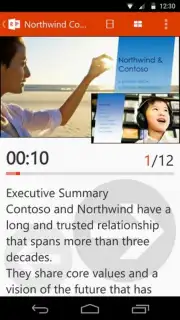
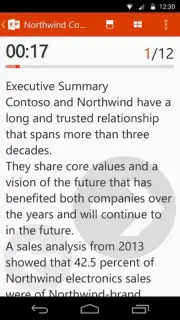
- Live Slide Control for PowerPoint: Advance or reverse slides, view speaker notes privately on your phone, and utilize a built-in laser pointer to direct audience attention to specific on-screen content.
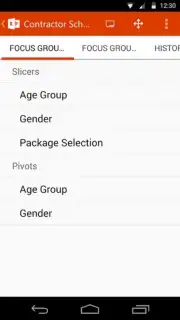
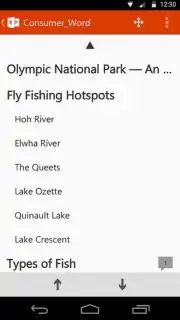
- Document Navigator for Word and Excel: Scroll seamlessly through lengthy documents or large spreadsheet datasets. Jump to specific pages or worksheets using quick-access menus for efficient navigation during reviews.
- Presenter View and Media Playback: Access a dedicated presenter screen displaying current slide, next slide, and elapsed time. Play, pause, or stop embedded videos and audio clips in your presentation directly from the remote.
Key Operational Advantages
The utility excels in environments where presenter mobility is critical. Connection setup is streamlined for quick pairing, and the minimalist interface ensures controls are accessible without distracting from the primary screen. Performance is optimized for stability, maintaining a consistent link throughout extended use. The tool integrates directly with the Office ribbon, offering contextual control options based on the active application on your PC.
We suggest trying Office Remote to enhance your professional delivery and interact with your Office documents from across the room.
Download the mobile app now.
An internet connection is not required for core remote control functionality after initial setup, which uses Bluetooth. The app is free to download and use. Microsoft 365 or a qualifying Office subscription may be required for use with certain connected applications on your PC.
Information
| Version | 1.2.0.0 |
| Developer | Microsoft Corporation |
| Requirements | Android Android + 4.0.3, 4.0.4+ |
| Updated | 17.03.2026 |
| Size | 7.66 MB |
| Package | com.microsoft.office.officeremote |
| Signature | 03aef1b47a462db1501f2ab11b6843b0 |
| Architecture | armeabi-v7a |


