

PDF Editor free Tool screenshots (4)
Description PDF Editor free Tool
Struggling with rigid PDFs on your phone? This editor brings desktop-level control to your pocket.
Managing PDFs on a mobile device often means choosing between limited, web-based tools or expensive, bloated software. PDF Editor free Tool addresses this directly by providing a comprehensive, native editing suite designed for the Android touchscreen. It transforms your device into a capable document workstation, allowing for precise modifications without the need for a computer. The interface is built around direct manipulation, letting you interact with text, images, and pages as if they were physical objects on your screen. This approach turns the often tedious task of PDF correction into a streamlined, almost tactile process.
Core Editing Mechanics and Document Handling
The app functions as a multi-tool for PDF manipulation. At its foundation is a robust rendering engine that maintains formatting fidelity across a wide array of documents. The editing mechanics are granular: you can select individual text blocks for font, size, and color adjustments, or use the freehand drawing tool for annotations with customizable pen width and opacity. Page management operates through an intuitive thumbnail overview, enabling drag-and-drop reordering, seamless insertion of blank pages, and precise extraction of specific page ranges. For form handling, the tool provides interactive field detection, allowing you to tap and fill text inputs, checkboxes, and signature areas directly.
Key Advantages in Usability and Performance
Its primary strength is a context-aware UI that surfaces the most relevant tools based on your current selection—whether it’s text, an image, or a page. Visual clarity is maintained through a clean, layer-based system for annotations, preventing elements from interfering with the original document. Performance is optimized for mid-range devices, ensuring smooth scrolling and zooming even on complex files, with efficient background processing for tasks like merging or password protection.
- Edit text and fonts directly within existing PDF paragraphs.
- Annotate freely with drawing tools, highlights, and sticky notes.
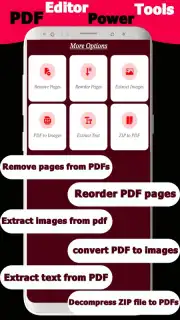
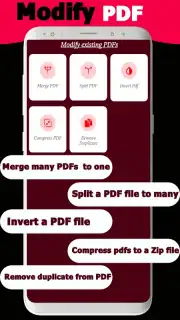
- Merge, split, reorder, and extract pages from multiple documents.
- Fill out interactive PDF forms and add digital signatures securely.
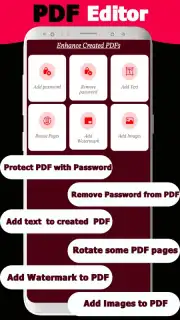
- Compress file sizes and protect PDFs with password encryption.
We suggest trying PDF Editor free Tool for a genuinely capable mobile document workflow. Consider downloading it to handle edits, sign forms, or organize pages directly from your phone.
Internet required. IAP available.
Information
| Version | 1.4 |
| Developer | Arnaud Nono |
| Requirements | Android Android + 5.0+ |
| Updated | 17.03.2026 |
| Size | 24.39 MB |
| Package | pdf.pdftooleditorfree |
| Signature | b0577dd6bd21167208c8ff713c36e1f1 |


