


Pulse SMS (Phone/Tablet/Web) screenshots (7)
Description Pulse SMS (Phone/Tablet/Web)
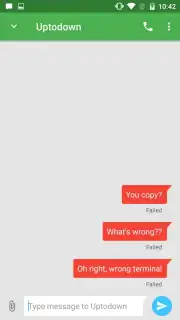
Imagine your text messages flowing seamlessly from your phone to your tablet to your computer, without ever needing to pick up your primary device. Pulse SMS (Phone/Tablet/Web) transforms this scenario into a daily reality, functioning as a unified messaging hub that synchronizes your SMS and MMS conversations across every screen you own. By linking your mobile number, you gain the operational freedom to send, receive, and manage messages directly from your Android Wear smartwatch, an iPad or Android tablet, or a dedicated web portal.
Core Functionality and Interface Design
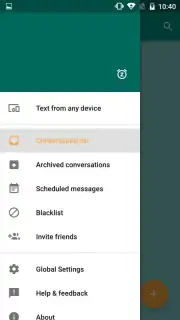
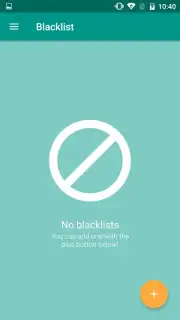
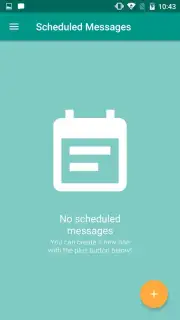
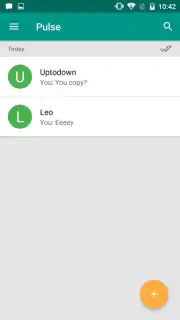
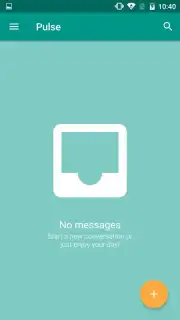
The application replaces your device's default messaging app with a more powerful and visually configurable alternative. Its interface is structured for efficiency, featuring a practical left-hand navigation menu that provides immediate access to all major sections: the primary conversation list, archived discussions, a scheduler for planning future messages, and a blacklist for managing contacts. The design avoids clutter, presenting these tools within a clean and adaptable layout that users can personalize to their preference.
Advanced Configuration and Turbo Features
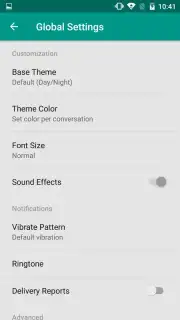
A significant portion of Pulse SMS's utility is found in its detailed settings panel. Users have direct control over visual elements like theme colors and font sizes, as well as notification sounds and vibration patterns. A notable technical feature is the automatic conversion of lengthy SMS texts into MMS messages to ensure delivery beyond standard character limits. Opting for the optional Turbo upgrade removes all advertising from the experience and unlocks a suite of advanced capabilities for power users seeking maximum control over their communication workflow.
- Multi-Device Synchronization: Send and manage your phone's SMS/MMS from any linked tablet, web browser, or smartwatch.
- Centralized Message Management: Access conversations, archives, scheduled messages, and a blacklist from one navigation menu.
- Deep Customization Settings: Modify the app's visual theme, adjust font sizes, and configure notification sounds and vibrations.
- Automatic Message Conversion: Ensures long text messages are automatically sent as MMS to bypass SMS length restrictions.
- Ad-Free Turbo Experience: An optional upgrade removes all advertisements and provides access to premium functionality.
This is a limited-time opportunity for new users to experience premium-grade messaging synchronization at no initial cost. Exclusive access to the full cross-platform suite is available today only for the first wave of installs.
Download the Pulse SMS mobile app now to unify your messaging across every device.
A standard internet connection is required for multi-device syncing and web portal access. The app may contain optional in-app purchases for the Turbo upgrade.
Information
| Version | 6.10.0.3034 |
| Developer | Luke Klinker |
| Requirements | Android Android + 6.0+ |
| Updated | 17.03.2026 |
| Size | 51.15 MB |
| Package | xyz.klinker.messenger |
| Signature | b91e11cf01ff90badcd18eb6ee884aee |
| Architecture | armeabi-v7a, x86, arm64-v8a, x86_64 |


