

SopCast screenshots (6)

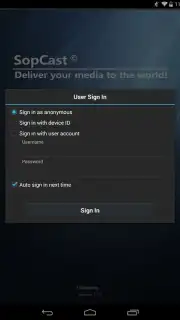

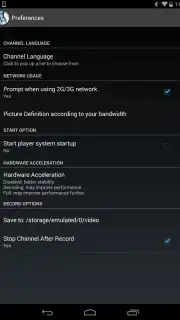
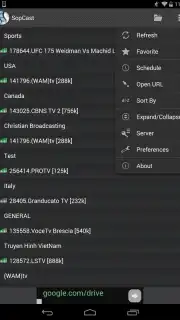
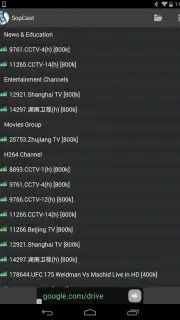
Description SopCast
Remember that feeling of scrambling to find a working stream for the big game or the latest episode, only to be met with endless pop-ups and buffering? What if you could tap directly into a vast, decentralized network of live video, right from your pocket? That’s the promise of SopCast for Android. This is the official mobile port of the legendary desktop software, bringing its unique peer-to-peer streaming technology to your smartphone or tablet. It opens a direct door to live broadcasts from around the globe, completely free, transforming your device into a portable window to live sports, news, TV shows, and more.
SopCast for Android operates on the same robust principle as its computer counterpart. Instead of relying on a single server, it uses a distributed network where users share data, which can lead to remarkably stable streams for popular events. You gain access to the entire public channel list, which you can intuitively filter by category—be it Movies, Sports, TV Shows, or Radio—to find exactly what you want to watch. Simply browse, select a channel, and the stream begins. For advanced users, the app also supports connecting via direct SopCast links for instant access to specific broadcasts. A major advantage is the ad-free experience, especially when utilizing Turbo features for enhanced connection priority and stability.
The core experience is about choice and accessibility. Video quality is inherently tied to the specific channel and its source, meaning you might find anything from standard definition to crystal-clear high-resolution feeds. The app provides settings to select a default preferred quality to manage data usage. While the interface prioritizes function over flash, presenting a straightforward, no-nonsense layout, it gets the job done efficiently, putting the focus squarely on the content.
Key Features at a Glance
- Access the official, global SopCast channel list directly on your Android device.
- Filter live streams by category including Sports, Movies, TV, and Radio.
- Connect to broadcasts using direct SopCast links for precise channel entry.
- Enjoy an ad-free viewing experience with optimized Turbo mode benefits.
- Adjust default stream quality settings to manage bandwidth and performance.
This is your exclusive pass to a different kind of live streaming. Don't just watch; connect to the source. Download SopCast for Android now and experience raw, direct-access live video today—the network is strongest with more users, so early adopters get the most stable streams!
Heads up: A stable internet connection (Wi-Fi recommended for high-quality streams) is essential for smooth playback. Stream availability and quality depend entirely on the selected channel and its active sources. Some advanced features and the optimal Turbo experience may require additional configuration.
Information
| Version | 1.3.5 |
| Developer | SopCast.com |
| Updated | 17.03.2026 |
| Size | 10.49 MB |
| Package | org.sopcast.android |
| Signature | 408b6d5b6ffce5f91bddabc234574a71 |
| Architecture | armeabi-v7a |


