

ToolCase screenshots (5)
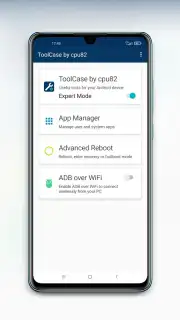
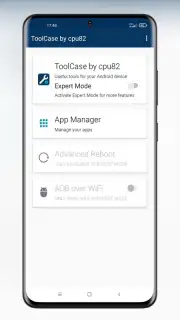
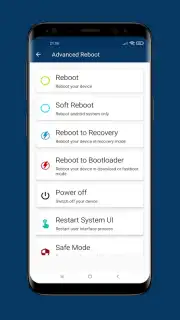
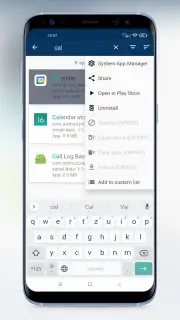
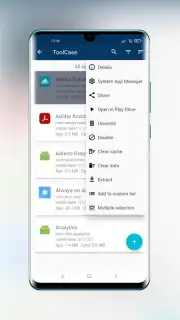
Description ToolCase
Ever felt your phone could be smarter, more capable, and truly yours?
Imagine having a digital toolbox that fits in your pocket, ready to unlock hidden features and streamline your daily digital tasks. ToolCase transforms your Android device from a simple communication tool into a powerful utility hub, putting control and convenience directly at your fingertips. No more juggling between multiple apps for basic functions; everything you need is consolidated into one sleek, intelligent interface designed for efficiency.
A Comprehensive Suite of Smart Utilities
ToolCase acts as your all-in-one device assistant, packed with practical tools that are both powerful and easy to use. You gain instant access to a wide array of system information and utilities that help you monitor, manage, and enhance your phone's performance. From checking real-time sensor data to managing files and analyzing network connections, the app provides a clear window into your device's inner workings. You can test hardware components, monitor battery health, and access advanced settings with a simple tap, demystifying the complex systems running your phone.
The interface is designed for clarity and speed, ensuring you find the right tool without hassle. Whether you need to measure ambient light with your sensor, view detailed CPU and RAM usage statistics, or quickly manage running applications, ToolCase presents the information in a clean, readable format. It’s like having a diagnostic dashboard and a utility kit merged into one seamless experience, empowering you to understand and optimize your device like never before.
Key Advantages That Set ToolCase Apart
- All-in-One Convenience: Replace a folder full of single-purpose utility apps with one unified, comprehensive toolbox. Every essential tool is organized and accessible from a single home screen.
- Deep System Insights: Access detailed, real-time information about your device’s hardware and software. Monitor sensor activity, processor states, memory allocation, and network details with precision.
- Hardware Diagnostics: Quickly test and verify the functionality of key components like the gyroscope, accelerometer, proximity sensor, and touch screen directly within the app.
- Clean, User-Focused Design: Navigate through a thoughtfully designed interface that prioritizes readability and ease of use. Information is presented logically, without overwhelming clutter.
- Lightweight Performance: Built to be efficient, ToolCase provides powerful features without draining your battery or consuming excessive system resources, ensuring your device runs smoothly.
Unlock the Full Potential of Your Device
Stop settling for a surface-level experience. Take complete control, optimize performance, and discover everything your phone is capable of. Download ToolCase now and transform your Android into the most powerful tool you own.
Download ToolCase now
Disclaimer: This app requires an internet connection for certain features. It may contain in-app purchases. Please be aware of your data usage. The app is intended for general audiences. Requires Android 5.0 or higher. Features and availability may vary by device.
Information
| Version | 1.3.3 |
| Developer | cpu82 |
| Requirements | Android Android + 5.0+ |
| Updated | 17.03.2026 |
| Size | 5.25 MB |
| Package | com.cpu82.toolcase |
| Signature | 0efa0d181d4f8072ce6220e0394f5715 |
| Architecture | universal |


