

Ultra AutoClicker screenshots (7)
Description Ultra AutoClicker
Ever found yourself stuck in traffic, wishing your car could just handle the repetitive tasks for you? Imagine an app that takes over the mundane clicks and taps, automating your digital journey so you can focus on the road ahead. Ultra AutoClicker is your intelligent co-pilot, designed to streamline your in-vehicle tech experience with effortless automation.
Core Automation Tools
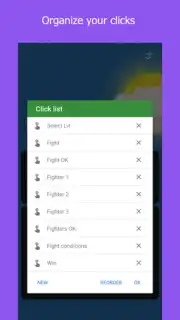
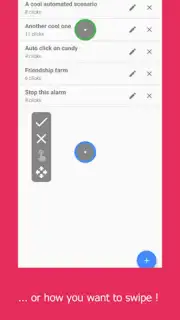
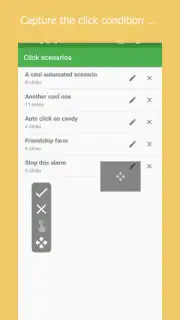
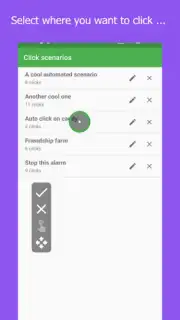
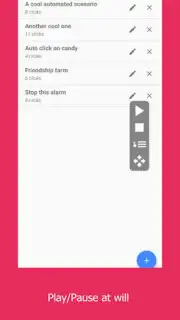
Ultra AutoClicker transforms your Android device into a powerful automation hub for your car’s ecosystem. It operates by recording and replicating your touch gestures, allowing you to create custom click sequences for any app on your infotainment system. Set up automated routines for navigation prompts, media playback controls, or communication apps, all without taking your hands off the wheel. The app runs a lightweight overlay service, providing quick-access toggle buttons and a visual tracker so you always know your automation status.
Key Advantages for the Driver
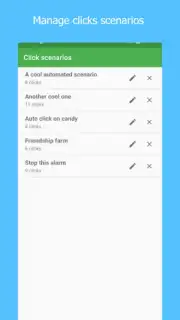
This tool is built for clarity and control behind the wheel. The interface uses large, high-contrast buttons and minimalistic design for perfect visibility in any lighting condition. You can save multiple automation profiles—like a "Morning Commute" sequence for maps and podcasts—and switch between them with one tap. Engineered for stability, it maintains consistent performance without draining your battery, ensuring your device stays ready for essential driving functions.
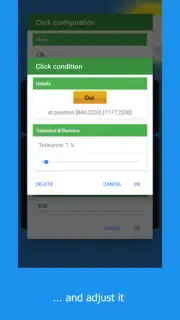
- Custom Gesture Recorder: Program complex tap, swipe, and long-press sequences for any in-car application you use regularly.
- Multi-Profile Management: Save and instantly load distinct automation setups tailored for navigation, entertainment, or hands-free communication.
- Real-Time Visual Feedback: A clear, non-intrusive on-screen indicator shows active automation cycles and remaining steps.
We suggest trying Ultra AutoClicker to experience a smarter, more connected drive where your technology works for you.
Heads up: you'll need wifi for initial setup and profile syncing. Some advanced sequencing features are extra. Requires Android 7.0 or higher.
Information
| Version | 1.0.7 |
| Developer | KKVGAME |
| Requirements | Android Android + 7.0+ |
| Updated | 17.03.2026 |
| Size | 23.76 MB |
| Package | com.kvdautoclicker.android |
| Signature | 5df0b878935ed3a7746b03df3473789d |
| Architecture | armeabi-v7a, x86, arm64-v8a, x86_64 |


