

AdLockPro - Block Ads screenshots (6)
Description AdLockPro - Block Ads
Imagine opening your favorite news app, only to be met with a full-screen video ad before you can read a single headline. Or browsing a website on your phone, where pop-ups and banners obscure the content you actually want to see. This constant digital noise isn't just annoying; it drains your battery, consumes your data, and fragments your attention. AdLockPro - Block Ads for Android is engineered specifically to address this modern frustration, functioning as a persistent, system-level filter that operates silently in the background to reclaim a cleaner mobile experience.
Core Functionality and Granular Control
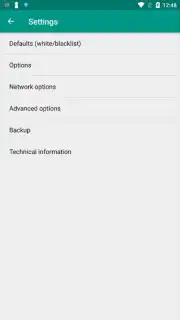
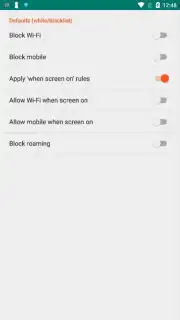
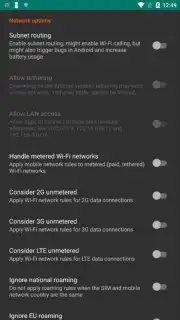
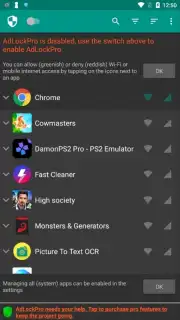
The application operates on a principle of selective filtration, intercepting ad-serving requests before they can manifest on your screen. Its primary interface is a centralized control panel, organized into distinct configuration tabs. This design allows for a highly granular approach to ad blocking, moving beyond a simple on/off switch. You can define a universal block across all device activity or create a curated list of specific applications where the blocker should be active, preserving ad-supported functionality in apps where you might desire it. Furthermore, the tool includes network-based rules, enabling you to configure blocking behaviors that differ between mobile data and Wi-Fi connections, offering an additional layer of control over your data usage and browsing environment.
User Experience and Operational Efficiency
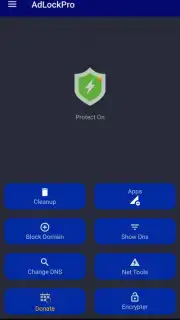
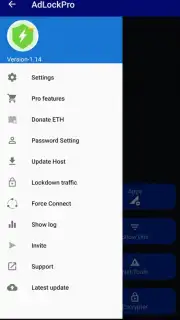
Upon launch, the utility presents a minimalist and logically structured dashboard. All critical functions—global toggle, app-specific rules, and connection settings—are accessible through clearly labeled buttons and switches, requiring no technical expertise to manage. A significant operational advantage is its set-and-forget nature. Once configured according to your preferences, AdLockPro runs as a persistent background service. There is no need to manually activate it for each browsing session or app launch; it maintains its filtering duties continuously, providing a consistently ad-free experience without recurring user intervention. This persistent operation is complemented by its own ad-free nature, ensuring the tool itself never becomes a source of the distraction it aims to eliminate.
- Selective Application Filtering: Precisely choose which installed apps will have ads blocked, allowing for customized per-app permissions.
- Network-Aware Blocking Rules: Configure separate ad-blocking policies for mobile data and Wi-Fi networks to manage data consumption.
- Persistent Background Service: Operates continuously after initial setup without requiring manual activation for each use.
- Streamlined Control Interface: Features a clean, tab-based dashboard with intuitive toggles and switches for all configuration options.
- Comprehensive Coverage: Effectively blocks intrusive ads across both standalone applications and within mobile web browsers.
For any user fatigued by intrusive digital advertising, this app provides a straightforward and effective technical solution. We suggest trying AdLockPro to evaluate its impact on your device's usability and data efficiency.
Download the mobile app now.
Internet required. IAP available.
Information
| Version | 1.20 |
| Developer | NetFree |
| Requirements | Android Android + 7.0+ |
| Updated | 17.03.2026 |
| Size | 4.87 MB |
| Package | com.pritect.adlockpro |
| Signature | 3116cdadbc104e859edd2e037f12cc4c |
| Architecture | armeabi-v7a, x86, arm64-v8a, x86_64 |


