


Google NotebookLM screenshots (17)
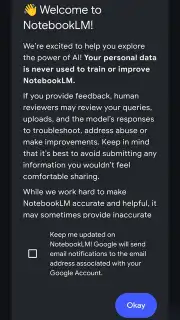










Description Google NotebookLM
A New Method for Research and Content Creation
Imagine needing to analyze a complex research paper, summarize a series of YouTube lectures, and draft a script—all before your next meeting. Traditionally, this would involve juggling multiple tabs, documents, and tools. Google NotebookLM presents a different approach, functioning as a centralized AI research assistant. This application, powered by Google's Gemini AI, is designed to process and interact with information you provide, moving beyond generic web searches to offer analysis grounded in your specified sources. It positions itself as a utility for professionals, creators, and students who regularly synthesize information from diverse formats.
Core Functionality and Source-Based Analysis
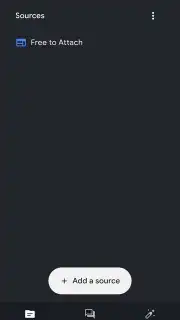
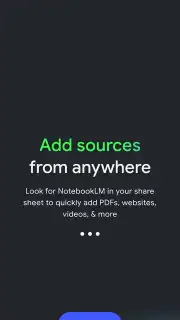
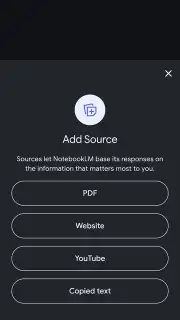
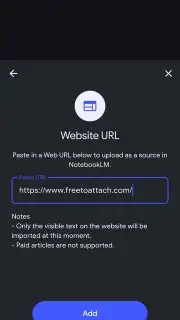
The fundamental operation of Google NotebookLM is its capacity to accept user-defined source material. Unlike standard AI chatbots that primarily draw from their pre-trained datasets or general web access, this tool requires you to upload or link the documents you want it to analyze. Supported formats include PDF files, plain text documents, web page URLs, and audio or video content from platforms like YouTube. Once these sources are ingested, the AI creates a specialized knowledge base from this content. You can then interact with this base through a chat interface, asking for summaries, specific details, or comparative analyses. The AI's responses are generated based on the information contained within your uploaded sources, aiming to provide answers with traceable origins, which is a critical feature for research integrity and focused content creation.
The AI-Powered Podcast Studio Feature
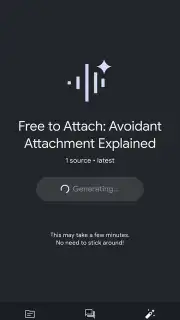
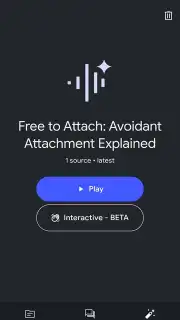
A distinctive feature within Google NotebookLM is its audio content generation capability, located in the Studio section. After processing your source materials, the tool can generate an audio podcast from the content. This is not a simple text-to-speech reading; the AI creates a dialogue between two distinct synthetic voices. These voices are designed to interact naturally, incorporating conversational elements like brief interruptions and filler words to mimic a human discussion. The resulting audio file serves as an auditory summary of the source material, which can be downloaded for offline listening or played in the background while using other applications. This functionality is positioned for users who prefer auditory learning or wish to consume information during commutes or workouts.
Interactive Dialogue and Content Guidance
The podcast feature includes an interactive element. Listeners are not passive; they can join the generated conversation at any point. A dedicated button allows you to pose questions directly to the AI hosts. The system then integrates your query into the dialogue flow, with the AI providing a response based on the source material in a conversational tone. Furthermore, if the AI-generated discussion begins to drift or become repetitive, you can manually steer the conversation toward a new subtopic or ask for clarification, effectively guiding the narrative of the podcast in real-time.
- Upload and analyze PDFs, web pages, and videos
- Generate conversational AI podcasts from sources
- Interactive Q&A within audio playback
- Offline access to created audio content
We suggest trying Google NotebookLM if your work involves synthesizing information from multiple documents and you seek a tool that consolidates analysis and content creation into a single, source-aware platform. Consider downloading the application to evaluate its utility for your specific research or content development workflows.
Download the Google NotebookLM mobile app now.
This application requires an internet connection for core processing functions and initial source analysis. The app may offer optional in-app purchases for extended features or usage tiers.
Information
| Version | 2026.01.06.853388154 |
| Developer | Google LLC |
| Requirements | Android Android + 10+ |
| Updated | 17.03.2026 |
| Size | 35.58 MB |
| Package | com.google.android.apps.labs.language.tailwind |
| Signature | 039dfb41020e82f01599e05df5af25b2 |
| Architecture | arm64-v8a, x86_64 |


