

Hub Keyboard screenshots (7)
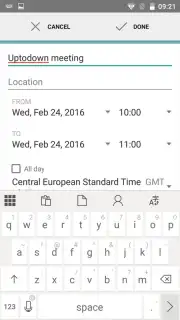

Description Hub Keyboard
What if your keyboard could do more than just type?
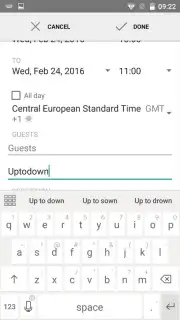
In a market saturated with virtual keyboards offering incremental improvements, the Hub Keyboard by Microsoft presents a more integrated and productivity-focused proposition. Moving beyond simple autocorrect and theme customization, it functions as a lightweight productivity hub directly within your typing interface. The core question it answers is how to minimize app-switching and streamline common tasks like managing copied information or translating text on the fly. Its design philosophy appears to be one of subtle augmentation, embedding powerful tools into the familiar framework of a keyboard without overwhelming the primary typing experience. This review examines whether its feature set delivers tangible workflow advantages or remains a collection of neat but underutilized gimmicks.
A Detailed Look at the Integrated Toolset
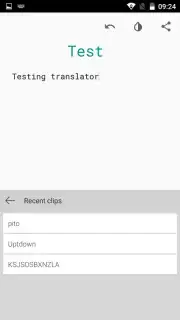
The application distinguishes itself through several deeply integrated utilities. The most immediately practical is the personalized clipboard manager. Unlike the standard single-item system clipboard, this feature retains a history of your copied text snippets—from short phrases to lengthy paragraphs. These items remain persistently accessible in a dedicated sidebar, allowing for quick retrieval and re-pasting without the need to juggle between applications. This is particularly valuable for tasks involving research, form-filling, or any scenario requiring the reuse of multiple text fragments.
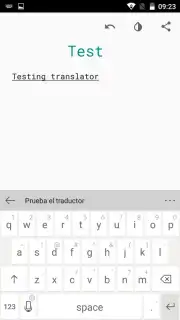
A second, equally thoughtful tool is the inline translator. The mechanics are straightforward: you type text in your native language, and the keyboard provides a translation preview directly within its suggestion panel. A single tap on this suggestion replaces your typed text with the translation, enabling near-instant cross-language communication in messaging apps or email clients. This eliminates the disruptive process of copying text, opening a separate translation app, and then pasting the result back.
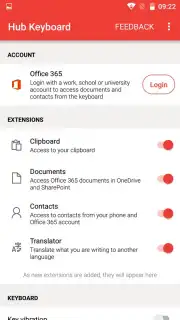
The most significant feature for users embedded in the Microsoft ecosystem is the native synchronization with Office 365 and OneDrive. This integration transforms the keyboard from a simple input method into a gateway for your cloud documents. You can directly import text from a Word document or OneNote page into any text field. Conversely, you can generate and share secure links to documents stored in your OneDrive without leaving your current app, facilitating rapid collaboration. The interface maintains Microsoft's characteristic clean and functional aesthetic, prioritizing clarity and ease of use over decorative flair, which contributes to a focused and efficient user experience.
- Persistent multi-item clipboard history
- Inline translation in suggestion panel
- Direct Office 365 & OneDrive sync
- Clean, ad-free interface design
Claim your productivity advantage now and transform how you interact with text on your device.
Disclaimer: This application requires an internet connection for full functionality, including translation and cloud sync services. Some advanced features may be tied to a Microsoft account or subscription.
Information
| Version | 0.9.13.14 |
| Developer | Microsoft Corporation |
| Requirements | Android Android + 4.3+ |
| Updated | 17.03.2026 |
| Size | 7.81 MB |
| Package | com.microsoft.hub_keyboard |
| Signature | 3c48cc553ae515da52fb2711e855d1dc |
| Architecture | armeabi, x86 |


