


Samsung Smart Switch Mobile screenshots (8)
Description Samsung Smart Switch Mobile
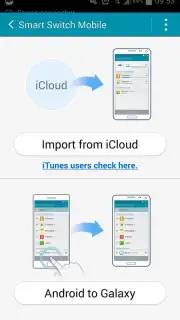
Looking for a streamlined method to migrate all your personal data, media, and app settings when upgrading to a new Samsung Galaxy device? Samsung Smart Switch Mobile provides a cable-free solution designed to transfer your digital ecosystem from an old device to a new one with minimal user intervention.
Core Functionality and Data Organization
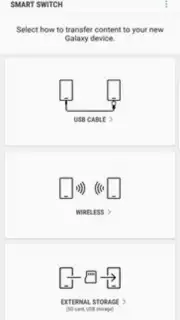
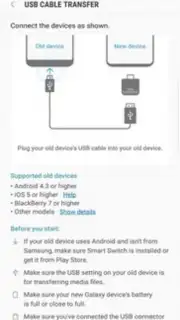
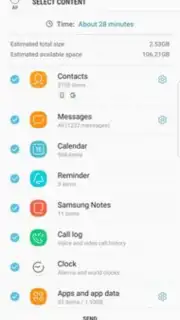
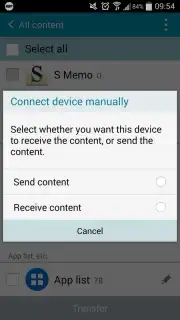
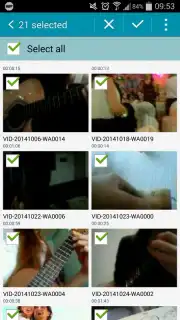
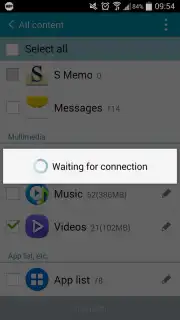
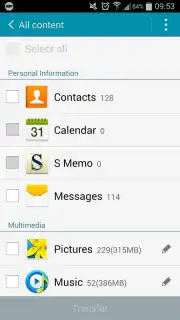
The application operates by categorizing the data stored on your source mobile device into three primary segments for organized transfer. The first segment encompasses personal information, including contacts, text messages, and calendar events. The second handles multimedia content such as photos, videos, and music files. The third category manages installed applications along with their associated data and other document files. The transfer process is initiated by installing the application on both the sending and receiving devices. Each device must then select the 'Send' or 'Receive' option to establish a connection. It is important to note that the utility does not copy files stored on a removable microSD card; however, these can be physically migrated by transferring the card itself, which negates the need for software-based transfer of that data subset.
Transfer Process and Technical Specifications
A key operational requirement is that both devices must be connected to the same Wi-Fi network, as the application uses a direct Wi-Fi connection for data transmission. Users have granular control during the setup, as they can review all files and folders within each data category and select only specific items for transfer rather than migrating everything indiscriminately. The duration of the transfer process is variable and directly correlates to the total volume of data being moved, ranging from a few minutes for light transfers to considerably longer for full device migrations including extensive media libraries. The end result is a new device configured with the selected user data, app layouts, and settings mirrored from the old device.
Application Advantages
- Wireless transfer without cables
- Organized data categorization
- Selective file and app migration
- Direct Wi-Fi connection required
Begin your device setup with all your essential information pre-loaded. Download Samsung Smart Switch Mobile now to activate a seamless transition.
Internet required. IAP available.
Information
| Version | 9.5.03.0 |
| Developer | Samsung Electronics co.,ltd |
| Requirements | Android Android + 4.0, 4.0.1, 4.0.2+ |
| Updated | 17.03.2026 |
| Size | 24.32 MB |
| Package | com.sec.android.easyMover |
| Signature | d087e72912fba064cafa78dc34aea839 |
| Architecture | armeabi-v7a, x86 |


