

SnapPea screenshots (5)

Description SnapPea
What if you could manage your Android device directly from your computer's browser?
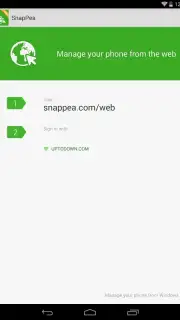
SnapPea is a lightweight utility application that establishes a local connection between an Android smartphone or tablet and a desktop computer. Its core function is to provide a web-based interface for accessing and managing device content, with the primary requirement that both devices are connected to the same Wi-Fi network. This setup eliminates the need for cables or cloud services for local file transfers, presenting a direct alternative to traditional connection methods.
Core Functionality and Feature Analysis
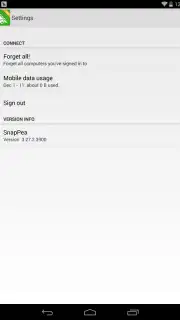
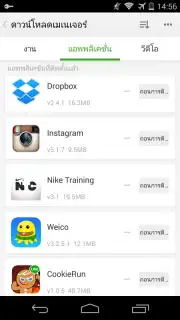
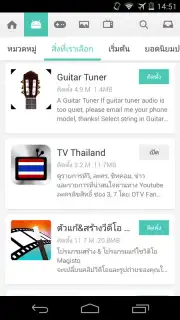
Upon launching the designated local address in a desktop browser, the interface presents a clear dashboard. The most prominent module is the photo management section, which displays all images stored on the Android device in a scrollable gallery layout. Selecting any thumbnail loads a larger preview, and a dedicated download function saves the file directly to the computer's hard drive. Beyond media, the application extends control to system components. The contacts manager allows for the addition, editing, or deletion of phonebook entries entirely through the browser window. Furthermore, the application management suite provides access to installed apps, enabling users to view details, extract APK files for backup, uninstall software, or install new applications by sideloading APK files from the computer.
The operational model is streamlined for local network use, which typically ensures higher data transfer speeds compared to internet-based solutions and keeps personal data off external servers. The absence of advertisements within the tested version of the interface contributes to an uninterrupted workflow. The application positions itself as a practical tool for users who regularly need to transfer batches of photos, create local backups of applications and their data, or perform basic device maintenance without physically handling the phone.
- Wireless Photo & Media Transfer: Instantly view and download all images and videos from your device to your computer over Wi-Fi.
- Full Contact Management: Edit, add, or remove contacts directly from the browser-based interface without syncing to the cloud.
- Advanced Application Control: Backup APK files, uninstall apps, or install new applications remotely from your desktop.
For users seeking a cable-free method to access their Android device's file system and applications from a computer, SnapPea offers a focused set of utilities. Consider downloading the application to streamline local data management and backups.
Download the SnapPea mobile app now to establish direct browser control over your Android device.
Note: A stable local Wi-Fi network connection is required for operation. The application may offer optional premium features via in-app purchases.
Information
| Version | 3.27.2 |
| Developer | SnapPea |
| Requirements | Android Android + XP+ |
| Updated | 17.03.2026 |
| Size | 3.98 MB |
| Package | com.snappea |
| Signature | bf2aae1159354601d9100b052ad0d498 |
| Architecture | armeabi, x86 |


