

Unclouded screenshots (4)

Description Unclouded
The Unseen Burden of Digital Clutter
Every device accumulates data silently. Photographs from years ago, duplicate downloads from forgotten projects, cached files from apps you no longer use—they all consume space and create a form of digital friction. Unclouded addresses this by providing a forensic-level analysis of your device's storage, moving beyond simple file managers to reveal the precise composition of your used space. It acts as a diagnostic tool, transforming the abstract concept of "storage full" into a clear, actionable map of your data.
Core Analytical Mechanics and Tools
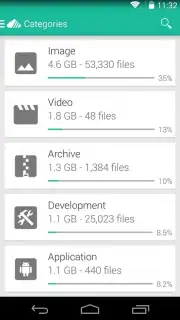
Unclouded functions primarily as a storage visualization and management utility. Its interface is built around an interactive treemap, a hierarchical diagram where the size of each rectangle corresponds to the size of a file or folder. This visual method allows for immediate identification of the largest space consumers without navigating through deep directory structures. The application performs a deep scan, categorizing content by type—such as applications, media, documents, and archives—and further breaks down app data into components like the APK, internal data, and cache.
- Interactive Treemap Visualization: Navigate storage through a color-coded, zoomable map where block size directly represents file size, making large items instantly identifiable.
- Detailed Application Analysis: Inspect any installed app to see the precise breakdown of its total size into the application, user data, cache, and external data components.
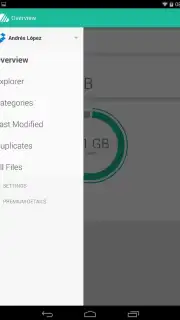
- Advanced Duplicate File Finder: Scans across all directories to locate identical files based on content, not just name, allowing for safe cleanup of redundant data.
- Cloud Storage Integration: View and manage connected accounts from services like Dropbox and Google Drive directly within the app's analytical interface.
- Root Explorer Functionality: For users with root access, provides full read/write capabilities to all system directories for advanced storage management.
Key Operational Advantages
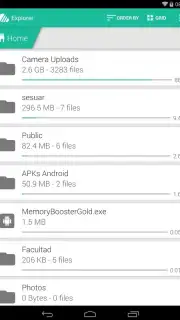
The utility's primary strength is its transparency and lack of abstraction. It presents raw storage information without unnecessary graphical flourishes, focusing on performance and accuracy. The scan engine is optimized for speed, providing a comprehensive layout of device contents rapidly. Its categorization system is logical and exhaustive, ensuring that every byte of storage is accounted for and can be traced to its source. The design prioritizes utility, with a clean, information-dense layout that minimizes taps required to reach management actions.
Get a clear view of your device's storage and reclaim your space efficiently.
Internet required. IAP available.
Information
| Version | 2.3.3-play |
| Developer | Christian Göllner |
| Requirements | Android Android + 4.1, 4.1.1+ |
| Updated | 17.03.2026 |
| Size | 10.93 MB |
| Package | com.cgollner.unclouded |
| Signature | 9ff16a52dcfe4e822f2e6a20204d72e0 |
| Architecture | armeabi, x86 |


