


Маруся screenshots (11)
Description Маруся
What Defines a Practical Voice Assistant for Android?
When evaluating a voice-controlled interface, the primary considerations are its integration depth, command recognition accuracy, and the utility of its hands-free functions. Marusya, developed by VK (formerly Mail.ru Group), operates as an official AI assistant designed to process user requests through vocal input or text, aiming to minimize manual device interaction. Its core functionality is based on executing tasks, retrieving information, and managing device functions via spoken commands, positioning it as a tool for operational efficiency rather than mere novelty.
Core Operational Mechanics and Setup
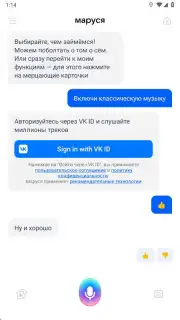
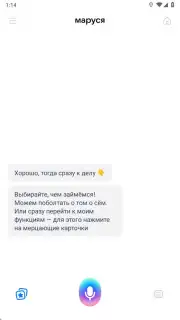
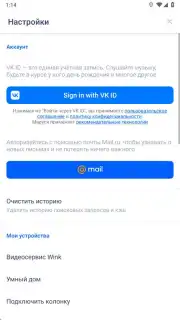
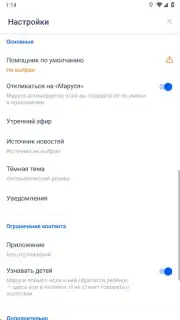
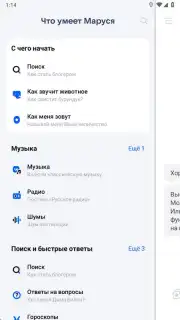
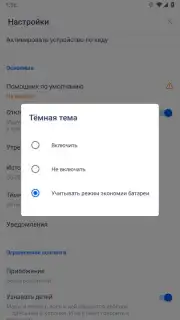
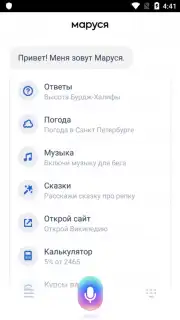
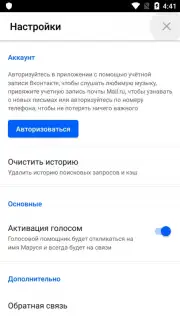
The application presents a minimalistic interface centered on a primary input field. Interaction begins by tapping the microphone icon or using the wake phrase. A significant operational aspect is user registration. While basic functionality is available without an account, creating one—seamlessly done via an existing VK profile—unlocks critical features. This includes the preservation of your complete interaction history, which the system uses to refine response accuracy over time, and access to full personalization settings. The configuration menu, accessible from the top-left corner, provides granular control over notification preferences, a dark/light theme toggle, and the option to set Marusya as the device's default assistant service.
Functional Scope and System Integration
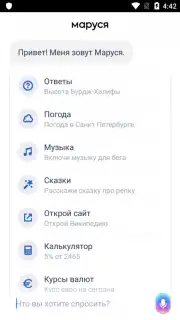
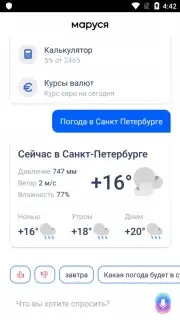
The assistant's utility is measured by its actionable command set. Beyond answering general knowledge queries, its integrated system controls are a defining feature. Users can command the opening, closing, or specific actions within other installed applications, such as initiating playback in music or video apps. Furthermore, it processes direct commands to place phone calls to contacts, executing these actions without physical screen interaction. The absence of advertising within the core app interface is noted, with optional subscription services like Turbo presented separately for potential enhanced capabilities.
Modalities of Interaction and Practical Use
Marusya supports dual input methods. The primary, voice-based interaction is designed for convenience during activities like driving or when hands are occupied. Alternatively, a keyboard input mode is always available for situations requiring silent or more precise query formulation. This flexibility ensures the assistant remains functional across varying environments. The application processes requests locally where possible and connects to cloud services for complex queries, requiring a stable internet connection for full functionality.
- Hands-Free Device Control: Execute commands to open apps, play media, or make calls using only voice.
- Dual Input Flexibility: Interact via natural speech or typed text based on your immediate context.
- Personalization Through History: Registered accounts enable learning from saved interaction logs for tailored responses.
- Streamlined Interface Design: A clutter-free layout prioritizes the microphone input and command response area.
- System-Level Integration: Capable of being set as the default assistant to handle system-wide voice commands.
Limited offer: Exclusive access for new users. This version includes the complete feature set for evaluation. Download the Marusya mobile app now to configure your hands-free assistant.
Disclaimer: This application requires a stable internet connection for most functions. Some features or subscription options may involve in-app purchases. The product is subject to the developer's terms of service.
Information
| Version | 1.91.5 |
| Developer | VK.com |
| Requirements | Android Android + 7.0+ |
| Updated | 17.03.2026 |
| Size | 178.41 MB |
| Package | ru.mail.search.electroscope |
| Signature | c0f40226327651a810e5b867c36d3f05 |
| Architecture | armeabi-v7a, x86, arm64-v8a, x86_64 |


