

Launcher iOS 16 screenshots (6)
Description Launcher iOS 16
Transform Your Android Into an iPhone Experience
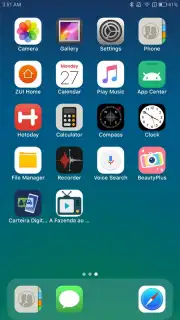
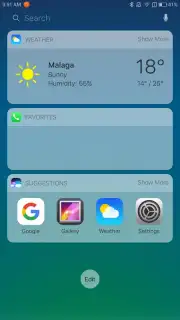
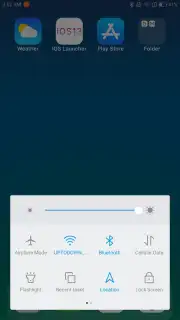
Launcher iOS 16 is the definitive customization tool that completely re-skins your Android device with the polished, iconic interface of an iPhone. This isn't just a simple theme change; it's a comprehensive launcher that meticulously replicates the iOS 16 aesthetic while adding unique functional layers to enhance your daily interaction. Experience the sleek, uniform design language of Apple's ecosystem, from the fluid animations to the distinctive app library, all without switching devices. It delivers a surprisingly deep and authentic transformation that goes far beyond static wallpapers, actively reshaping your device's navigation and visual identity.
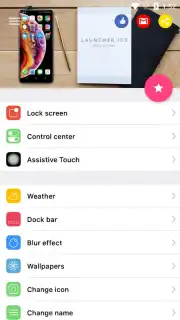
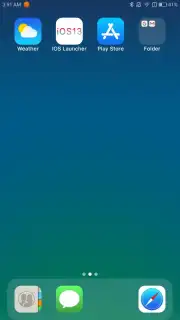
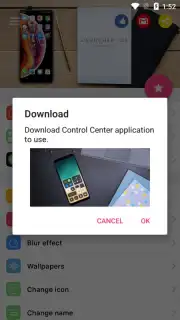
The app provides granular control over every visual element, starting with an authentic library of default iOS wallpapers to set the perfect foundation. You then activate the dynamic iOS-style Dock, which elegantly rises from the bottom of the screen, and watch as all your application icons are instantly reshaped with perfect rounded corners. The customization extends into a detailed settings panel where you can precisely adjust icon grid size and density, configure gesture-based shortcuts for faster actions, and enable visual effects like background blur when opening the app drawer for added depth.
Launcher iOS 16 stands out by merging high-fidelity visual emulation with practical Android enhancements. It successfully masks your device's identity, offering the elegance and simplicity of an iPhone interface while retaining the underlying power and flexibility of the Android platform. The attention to detail in replicating system behaviors, combined with robust customization tools, makes this more than a skin—it's a full interface replacement.
- Authentic iOS Interface & Dock: Implements the exact visual framework of iOS 16, including the signature bottom-mounted Dock that slides up with smooth animation.
- Deep Visual Customization Hub: Adjust icon size, grid layout, and enable advanced UI effects like app drawer blurring for a layered look.
- Gesture Shortcut & Control Panel: Program swipe and tap gestures to launch apps or actions, adding a layer of efficient, personalized control.
Get the premium iOS aesthetic and streamlined functionality on your Android device today. Install Launcher iOS 16 and start your transformation.
Disclaimer: This application requires an internet connection for initial setup and certain features. It may contain in-app purchases for premium themes or ad-removal options. Data usage may apply depending on configuration. This is a third-party customization launcher and is not affiliated with or endorsed by Apple Inc. All referenced iOS designs are trademarks of Apple. User discretion is advised regarding system permissions.
Information
| Version | 6.2.5 |
| Developer | LuuTinh Developer |
| Requirements | Android Android + 4.2, 4.2.2+ |
| Updated | 17.03.2026 |
| Size | 13.43 MB |
| Package | com.luutinhit.ioslauncher |
| Signature | 08336f0eab2d642e39c58e0e0b6bec33 |
| Architecture | arm64-v8a |


