

XShare screenshots (6)
Description XShare
Looking for a straightforward method to transfer any file type from your Android device to another platform without relying on cloud services or cables? XShare, developed by Infinix Mobile, Inc., provides a direct local transfer solution designed for speed and simplicity. This utility app functions as a wireless bridge for your media, applications, and documents, operating through a peer-to-peer connection that prioritizes transfer control and avoids intermediary servers.
Core Functionality and Interface Design
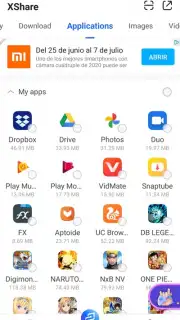
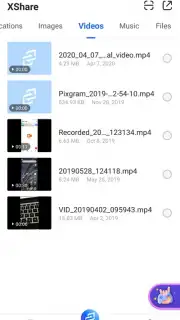
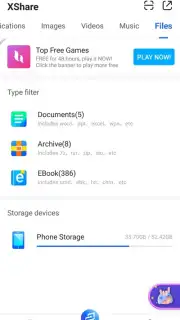
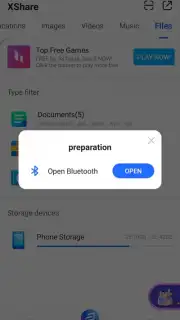
The application organizes content through a categorized tab system at the top of the interface, allowing for immediate navigation to specific file types. Users initiate a transfer by selecting a tab—such as Downloads, Installed Apps, Photos, Videos, Music, or Others—which then displays the corresponding files from the device's storage. The "Others" category is notably comprehensive, supporting documents, e-books, and archive files. Selection is a tap-based process, and the app supports multi-file selection, enabling users to queue numerous items from across different categories into a single batch transfer operation. This batch processing capability is a fundamental time-saving feature, eliminating the need to initiate separate sessions for each file.
Transfer Protocols and Performance Features
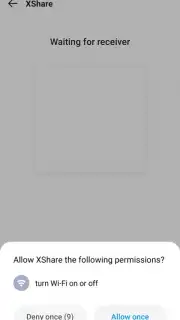
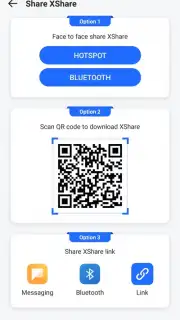
XShare establishes a connection between devices typically by generating a QR code on the sender's device, which is then scanned by the receiver's device. This method facilitates a direct Wi-Fi or hotspot link, bypassing mobile data usage. The app promotes its "Turbo" mode, which is associated with accelerated transfer speeds, though the specific technical implementation is not detailed within the interface. The absence of advertisement interruptions during the transfer process is a noted aspect of the user experience, allowing the operation to proceed without disruptive stops. The transfer speed is dependent on the file sizes and the stability of the local wireless connection, with the app reporting the ability to move large volumes of data in seconds under optimal conditions.
- Multi-file batch transfer capability
- QR code-based instant pairing
- No advertisement interruptions during use
- Supports all major file categories
The utility presents a focused alternative for users requiring frequent, direct device-to-device file movements without account setups or data limits.
Download XShare now and handle your file transfers immediately!
A functional internet connection is required for initial pairing and certain features. The application may offer in-app purchases for enhanced functionality.
Information
| Version | 3.7.0.001 |
| Developer | Infinix Mobile,Inc. |
| Requirements | Android Android + 6.0+ |
| Updated | 17.03.2026 |
| Size | 42.84 MB |
| Package | com.infinix.xshare |
| Signature | 418fe5f12dcab19591ef2803fbdde0a6 |
| Architecture | armeabi-v7a, arm64-v8a |


